
AI agent demos can look magical. The agent opens a browser, searches, clicks, writes, edits, generates, and reports back. It feels like watching a person work.
But real use often feels different. The agent runs for a long time and you do not know what it is doing. It produces a result, but the format is not useful. It says it created a file, but you cannot find it. It goes in the wrong direction, and by the time you notice, it has already spent time and credits.
That is why evaluating an AI agent should not start with “can it do things?” It should start with: can it do the work in a way I can understand, control, use, and reuse?
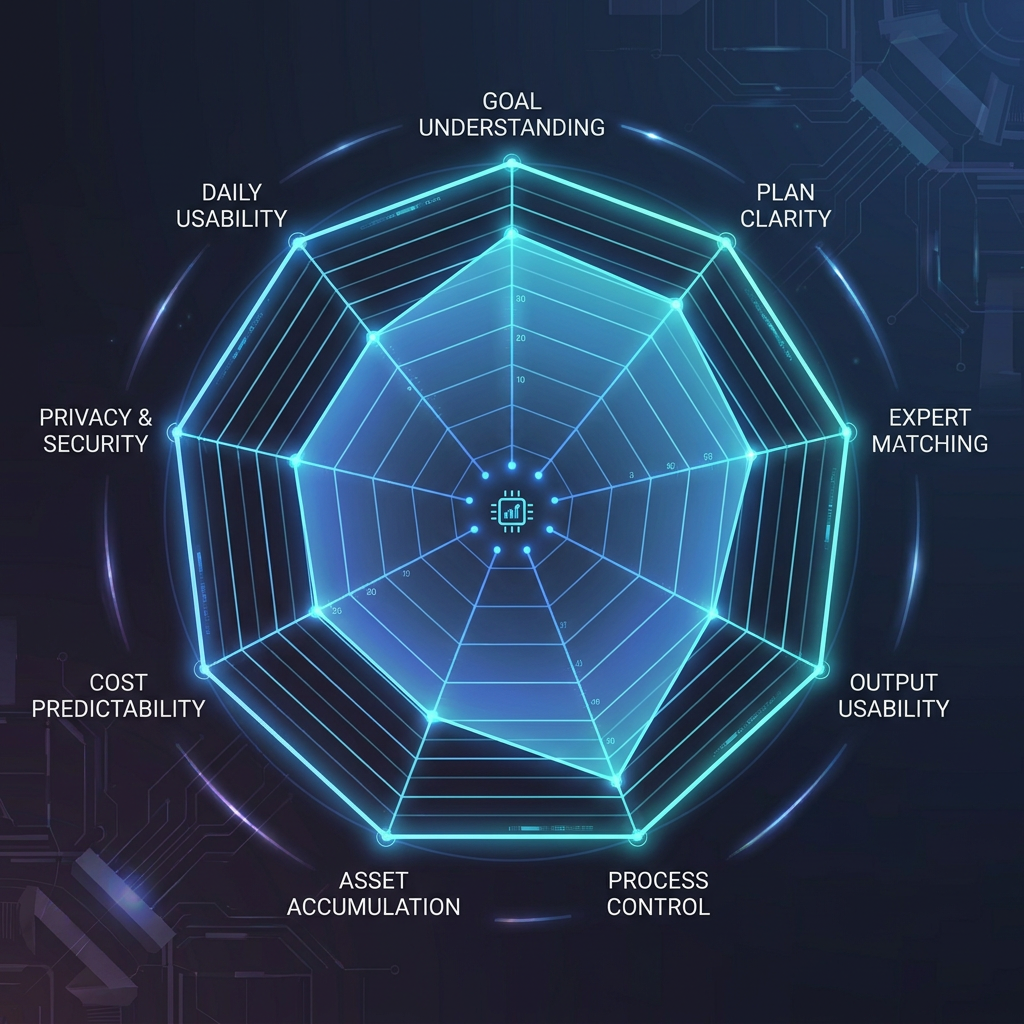
1. Does it understand the goal before generating?
Chat AI is trained around a simple loop: you ask, it answers. Agent work is different. A good agent should first understand what kind of job you are handing over.
If you say, “Help me launch this new app,” a basic AI might return a strategy essay. A real work agent should see the hidden structure: audience, positioning, landing page, launch copy, visuals, video, FAQ, channels, timing, and final outputs.
Wery is built around that first move. You give Wery the goal, and it turns a vague intention into a clearer scope before work begins.
2. Does it show a readable plan?
One of the biggest agent problems is black-box behavior. You start a task and the agent disappears into action. For low-risk tasks, that may be fine. For important work, you need to see the direction first.
A good plan answers four questions:
- What steps will it take?
- What will each step produce?
- Where might it need confirmation?
- Where will the outputs live after the run?
Wery’s execution plan matters because it gives the user a control surface. It is not a delay. It is the moment where you can check whether the system understood the work.
3. Can it route the right task to the right capability?
Many tools list every capability: search, image, video, code, docs, slides. The user does not want to manually decide which tool should do each step.
A better experience is: describe the goal, and the system decides whether the work needs research, copy, design, video, document generation, or something else.
That is the point of Wery’s multi-expert structure. The experts are not just cute names. They represent specialist workflows aimed at specific deliverables. You do not need to learn the whole roster before starting, but you can see how the work is divided as it moves.
4. Does it deliver usable outputs?
A long answer is not always a usable deliverable.
Usable output has three qualities:
- It looks like the thing you need: deck outline, launch post, video script, visual direction, FAQ, or report.
- It is shaped around your context, tone, audience, and channel.
- It can be edited and continued, not just copied into another tool.
“Here are some launch ideas” is helpful. A launch pack with hero copy, social posts, FAQ, visual direction, short video scripts, and a rollout table is work.
Wery is designed to push toward the second kind of output.
5. Can you change direction mid-run?
Real work rarely lands perfectly on the first pass. You may want the tone younger, the visuals warmer, the video less corporate, the copy shorter, or the deck more investor-ready.
A good agent should understand “revise the previous version” without forcing you to restart the whole task. That is where workspace continuity matters. The output should not disappear after one response. It should stay in the project so the next instruction has something to build on.
6. Does it turn outputs into assets?
Many AI tools can generate. Fewer can keep work organized.
You make a visual today, and tomorrow you cannot find it. You write positioning last week, and this week you paste it again. An old deck has the logo, screenshot, and message you need, but it is trapped in another folder.
A long-term work system should turn outputs into assets: easy to retrieve, edit, reuse, and carry into future tasks.
That is why Wery’s Workspace and Assets matter. A run does not have to be the end of the work. It can become the starting point for the next run.
7. Is cost and waiting time understandable?
The more an agent can do, the more time and compute it may spend. Users are not always afraid of cost. They are afraid of unclear cost.
When you evaluate an agent, notice whether it:
- lets you see the task scope before a heavy run;
- breaks large work into confirmable steps;
- makes heavier steps visible;
- can keep other work moving while one output is processing.
Parallel progress is especially valuable. If video is rendering, your copy, cover ideas, captions, or publishing plan should not have to stop.
8. Is it usable by normal people?
Open systems such as OpenClaw and Hermes Agent are exciting because they can be self-hosted, customized, connected to messaging apps, and extended through skills.
They are also more demanding. Setup, API keys, terminal commands, permissions, security, and skill quality may all become the user’s responsibility.
A consumer product should let people succeed first and learn depth later. Wery’s experience is closer to that: give the goal, see the plan, get the work moving, and only then understand the expert system as needed.
9. Does it get easier after repeated use?
The final test is simple: after a month, is the tool easier to use than it was on day one?
If you explain everything from scratch every time, the product is still just a generator. A real workspace should gradually accumulate projects, outputs, preferences, and reusable flows.
That is why simple and complex tasks belong together. Today you make app icon directions. Tomorrow you reuse the same visual language for launch covers. Today you summarize research. Next week it becomes a deck. Today you write positioning. At launch time it becomes FAQ, posts, and video scripts.
A practical self-test
| Question | What a “yes” means |
|---|---|
| Can it explain the plan before running? | Safer for real work |
| Can it divide work across capabilities? | Better for multi-step tasks |
| Are outputs close to usable formats? | More production tool than chatbot |
| Can you revise without restarting? | Better for real projects |
| Does it keep assets and context? | Better for long-term use |
| Does it require many third-party skills? | Flexible, but higher user burden |
| Would you use it several times a week? | More likely to become a daily product |
The shift: from answers to delivery
AI agents will keep multiplying. You do not need to chase every new name.
Ask one question instead:
If I hand over this goal, will the agent move the work to a state I can use, edit, save, and reuse?
If yes, it belongs in your workflow.
That is Wery’s bet: AI should not only answer. AI experts should help finish the work.
Three common mistakes when choosing an AI agent
Mistake 1: treating autonomy as the only goal
Autonomy matters, but more autonomy is not always better for everyday users. An open-ended agent may browse, run commands, install skills, and connect to external services. That can be powerful. It can also become stressful when the user cannot understand what is happening, where permissions are going, or why credits are being spent.
The best consumer-facing agent experience balances automation with control. It should move work forward without making the user feel blind. Wery’s approach is to put autonomy behind a visible execution plan: first show what will happen, then run the work.
Mistake 2: confusing many features with finished work
A product may support docs, images, video, web tasks, and code. That does not automatically mean it can finish a project.
Real work is difficult because of handoffs. Can copy become a page? Can the page guide visuals? Can visuals support a video? Can the video turn into platform-specific posts? Can the assets be reused next week?
That is why Wery should not be understood as just a feature-rich AI platform. Its value is in turning capabilities into an organized work process.
Mistake 3: overvaluing one impressive output
Many AI tools are impressive on first use. Long-term use is different. Users begin to care about predictability, consistency, editability, and reuse.
You cannot build a weekly workflow around lucky outputs. You need to know that a similar task will produce a similar quality structure again.
That is where expert workflows matter. A productized Expert is not merely a persona prompt. It is a specialist workflow shaped around a type of deliverable, a process, and a quality expectation. For users, that is more reliable than repeatedly inventing prompts from scratch.
Recommendations by user type
Students
Look for whether materials become study outputs. A good workflow should turn PDFs, notes, and readings into summaries, review cards, slide outlines, and shareable visuals. Wery fits this because it is not only for big projects; it is also useful for small daily outputs.
Creators
Look for whether one idea can become multiple platform assets. A topic may need a short video script, thumbnail title, captions, X thread, newsletter angle, and follow-up post. Wery helps keep these outputs in the same project.
Solo founders
Look for launch deliverables. A product launch needs positioning, landing page copy, FAQ, deck, visual direction, short video scripts, and rollout rhythm. Wery is useful because these pieces are connected.
Developers
If the output is code, coding agents such as Replit Agent or Claude Code are more direct. If the output is the content and launch system around a product, Wery is the more natural workspace. The two categories can complement each other.
A 10-minute test you can run
Try the same prompt in any agent:
“I’m launching an AI study tool for young users. Please create an execution plan and produce landing page copy, five social posts, three short video scripts, and visual direction ideas.”
Then check:
- Does it plan before generating?
- Does it separate deliverables clearly?
- Do the page, posts, and video scripts share the same positioning?
- Can the outputs be revised and continued?
- Does it tell you what to do next?
If the tool only gives advice, it may be a good assistant. If it returns structured deliverables you can keep working with, it is closer to a real agent.