Today, I’m going to show you how to add captions to your videos in minutes.

Sous-titres IA, prêts en quelques minutes.
Importez votre vidéo et obtenez des sous-titres précis, une transcription complète et des styles prêts à exporter.
Upload your videoMP4, MOV, WEBM up to 2GBDrag & drop your file here, or click to browse
Auto CaptionsAccurate and fast
Full TranscriptSearch and edit easily
Export ReadyMultiple styles & formats
Caption Timeline
00:0000:0500:1000:1500:2000:2500:3000:3500:40
It’s super simple and works in just a few steps.
First, upload your video to Wery.
Our AI will automatically generate accurate captions for you.
You can edit the text, adjust the timing, and choose a style...
When you’re ready, export your subtitles and you’re good to go.
USE CASES
Conçu pour chaque créateur
Turn any video into accurate captions, clean transcripts, and export-ready subtitles fast.

First, open the project settings and choose your language.
Step-by-step tutorials
Create clear, skimmable lessons with timed captions learners can follow anywhere.
Popular formats
YouTubeOnline CourseInstagramTikTok
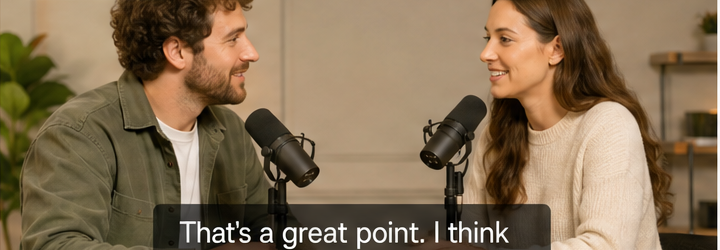
That’s a great point. I think consistency is the key.
Podcast highlights
Share bite-sized clips with precise captions that keep your audience engaged.
Popular formats
YouTube ShortsInstagram ReelsLinkedInTikTok
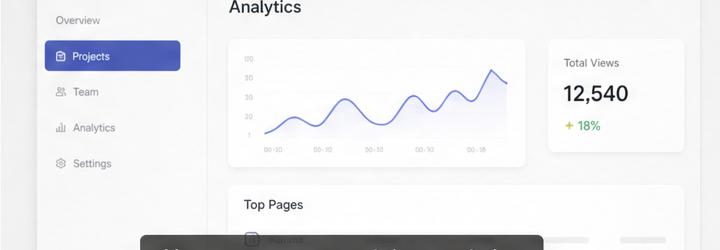
Here you can see real-time analytics and track your top-performing pages.
Product demos
Show features, not text. Make every demo easy to understand and share.
Popular formats
YouTubeWebsiteSales DeckTwitter
Captions ready
Prêt à exporter
Choose your export options and download your captions or video.

Captions make your content clear, engaging, and accessible.
Export options
Subtitle styleThis style will be used for burned-in captions (MP4).
The quick brown fox jumps over the lazy dog.
File detailsVideo: Creator Video.mp4Duration: 00:45Captions: EnglishWords: 98
Your files are secure and private.