
Most AI video generators create scenes you can watch. Google Genie 4 creates worlds you can explore, change, and interact with.
Announced on October 27, 2026, Google DeepMind’s world model introduces native audio, interactive dialogue, more realistic physical behavior, and Gemini-assisted simulation. Here are its most important features and what they could mean for creators.
What Is Google Genie 4?
Genie 4 is a real-time world model: rather than producing a fixed video clip, it generates a navigable environment that responds as someone explores it. The distinction matters for creative work. A conventional AI video tool helps produce footage; a world model can help explore a setting, test interactions, and discover how a scene might unfold.
Genie 4 builds on Genie 3’s real-time navigation and promptable events. Its notable advances lie in audio, character responses, physical realism, and how Gemini guides more complex activity.
What’s New in Google Genie 4?
1. Native Audio and Interactive Dialogue
Genie 4 is DeepMind’s first real-time world model to generate audio natively. Environments can contain ambient sound, music, and speech that develop with the visuals. Characters can also respond to events and user input through dialogue.
Imagine entering a railway platform and hearing footsteps, a passing train, and a nearby conversation rather than viewing a silent scene. For a filmmaker exploring a location, that audio can influence the pacing and emotional character of the sequence.
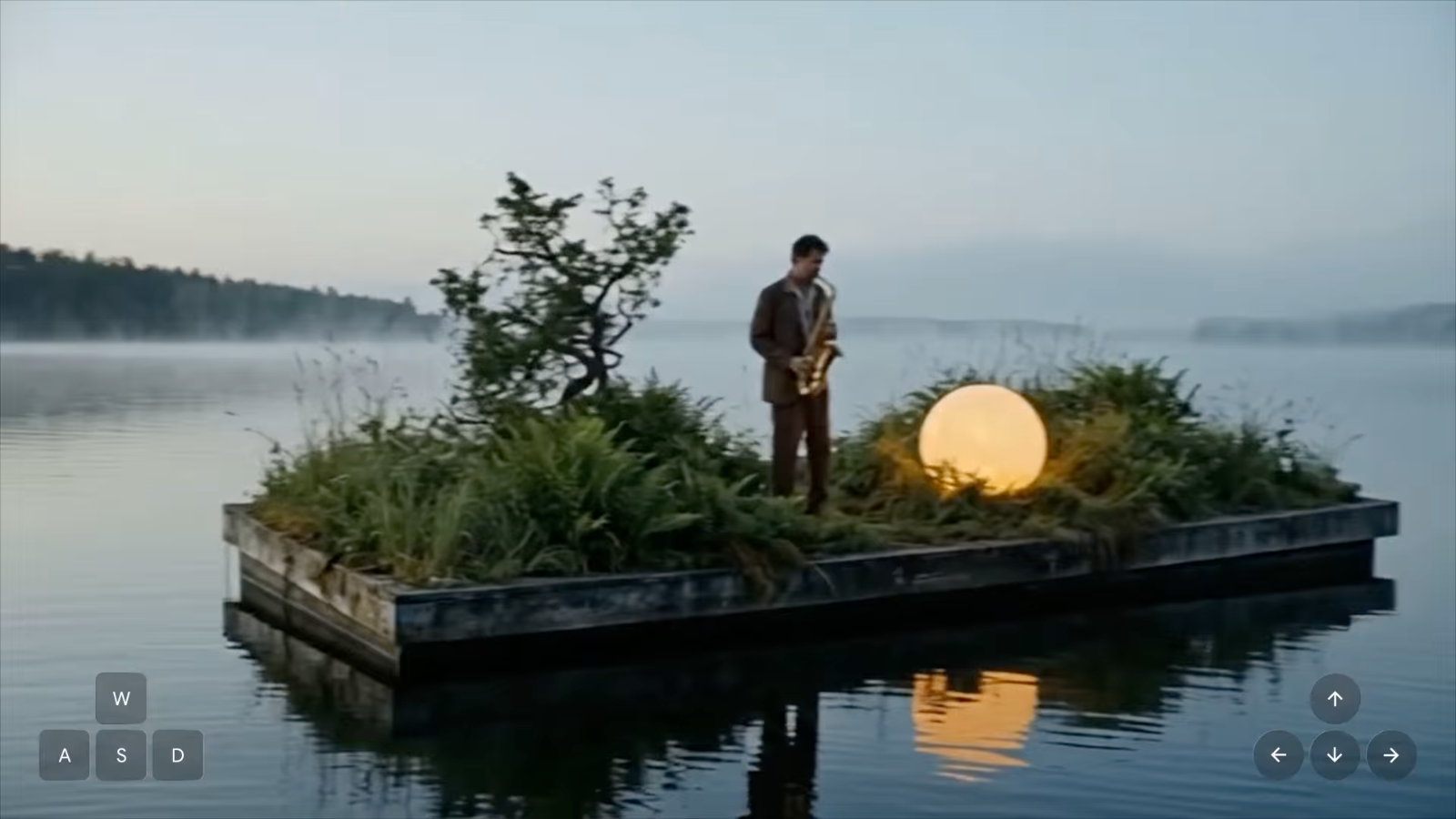
Watch the audiovisual example on the official Google DeepMind launch page.
2. More Responsive Real-Time World Editing
Users can steer a running simulation with natural-language instructions: change the weather, move the camera, or introduce an object or person. Gemini helps interpret those instructions in the context of the scene and guide what happens next.
Genie 3 already supported promptable world events, including weather changes. The upgrade here is the more contextual coordination of those changes—not the invention of live editing itself. A creator could compare a courtyard in sunshine and rain, for example, or explore a different entrance before choosing a shot.
3. More Realistic Physics and Human Movement
DeepMind highlights improvements to collisions, aerodynamics, and human actions. This matters because believable movement is more than a photorealistic surface: characters should appear to carry weight, respond to contact, and react to their surroundings.
For a visual storyteller, a character planting their feet before turning may matter more than another layer of texture detail. Complex interactions and long-term consistency remain challenging, so these improvements are best understood as stronger simulation capabilities, not a promise of perfect physics.
4. Gemini Powers More Complex Simulations
Google describes Gemini 3.8 Flash as an agent that observes incoming frames, breaks a goal into steps, checks progress, and adjusts its approach as a scene changes. The announcement also discusses research combining Genie 4 with Gemini 4 Argon and Gemini Robotics.
The creative potential is in cause and effect: an event occurs, a character responds, and a following action can reflect that response. These are research demonstrations, rather than a substitute for precise animation software or a validated robotics simulator.
What Changed Since Genie 3?
Genie 3 already made navigable AI-generated environments possible and supported on-the-fly scene changes. Genie 4 adds native sound and interactive dialogue, more expressive human actions, and stronger Gemini-guided steering. The simplest distinction: it aims to make a generated world feel more responsive across image, sound, and behavior—not merely more explorable.
How Creators Could Use Genie 4
For filmmakers, the immediate opportunity is previsualization: exploring camera angles, lighting, and atmosphere before producing a finished scene. Game designers could test the feel of a location before building a level, while interactive storytellers could experiment with how characters and events respond to the environment.
Example: Previsualize a Fantasy-Film Reveal
Picture a glass greenhouse at dusk, with a character waiting beside the door. First, explore whether a reveal works better from the entrance or the far aisle. Next, introduce rain outside and compare the mood. Finally, test how the character responds to a sound from deeper in the greenhouse. Turn the most effective arrangement into a shot list: camera position, atmosphere, and story beat.
This is a proposed creative exercise, not an independently tested Genie 4 workflow. Its value is in making a directing decision; a polished final video would still require a production workflow.
Availability and Current Limitations
In Google’s October 2026 announcement, Genie 4 was a limited research preview for trusted testers, with expanded access planned through Project Genie and selected developer pathways. Availability can change, so consult the official model page for current access details.
The main limitations described by Google include short continuous sessions, drifting visual details, imperfect object permanence, and developing audio and text rendering. See the Google DeepMind Genie model page for current information.
Bring Your Creative Ideas to Life with Wery.AI
From developing visual concepts to creating AI-generated images and videos, Wery.AI gives creators tools to turn ideas into visual stories. Explore the possibilities and start creating.