
“Cinematic” can mean almost anything in an AI image prompt. A late-night diner, a sunlit apartment, and a silhouette at blue hour can all feel cinematic while looking completely different.
For more deliberate results, describe the light itself: where it comes from, what it touches, and what remains in shadow.
Write the light before the mood
Instead of relying on a broad phrase such as “beautiful cinematic lighting,” give the image generator a visible lighting decision. “Warm light on the face from one pendant lamp” is more specific than “beautiful cinematic lighting.”
A useful lighting prompt defines four things: source, direction, color relationship, and contrast. A window provides the source. Light entering from camera left establishes direction. Warm skin against a cool room creates a color relationship. Deep shadow on the far cheek defines contrast.
You do not need technical camera language unless it helps describe the image you want. The five prompts below are starting points for GPT Image 2.0. Replace the subject or setting, but keep the lighting direction, color relationship, and contrast consistent if you want to preserve the look.
1 Window Light for a Quiet Portrait
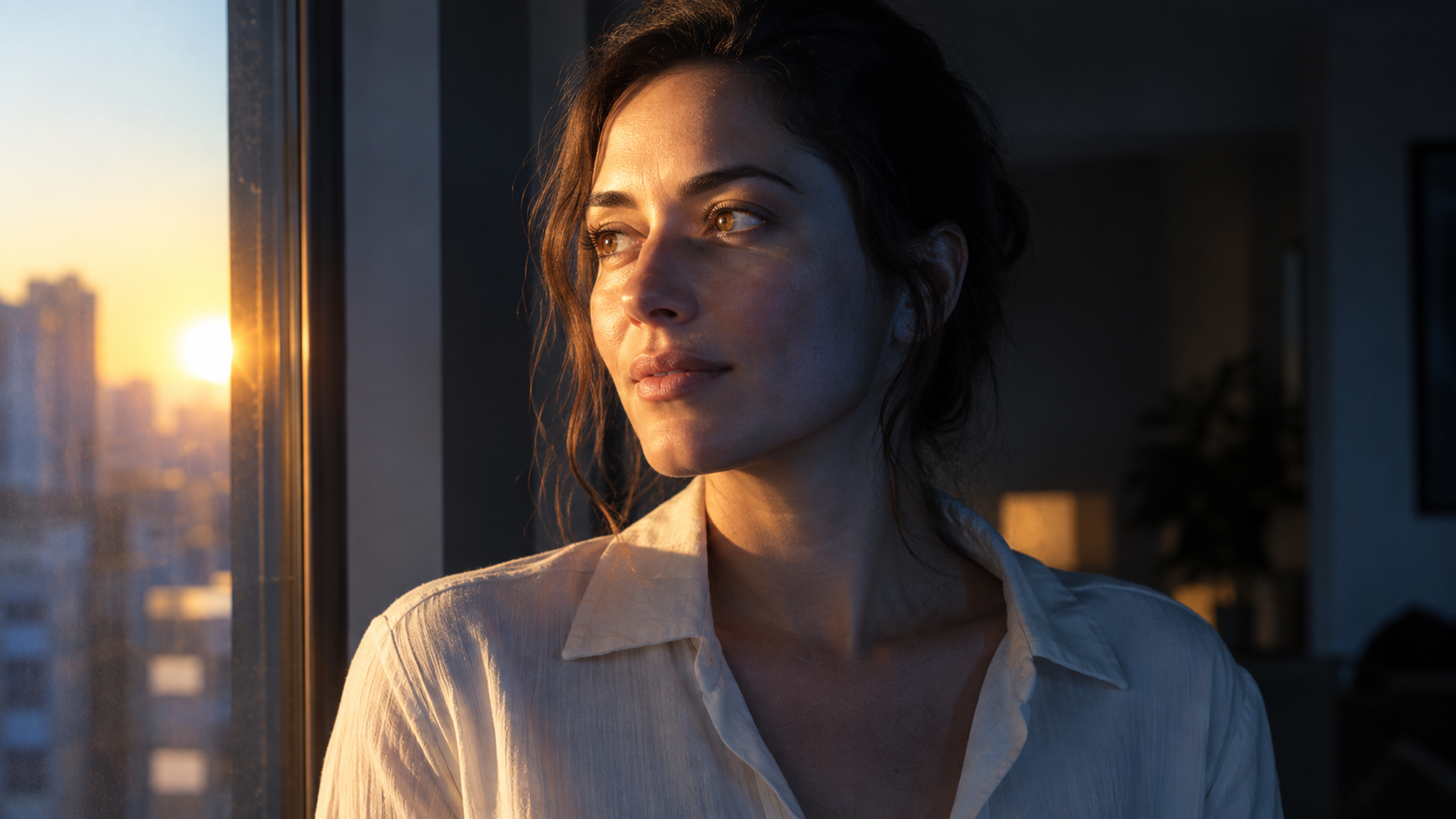
Use this setup when the face should carry the image. Keep the window clearly on one side rather than combining strong side light with flat frontal illumination.
If the shadow side becomes too dark, ask for a gentle reflection from a pale wall instead of removing the contrast completely. The goal is to preserve enough separation between light and shadow to give the portrait shape.
2 Warm Practical Light in a Cool Environment
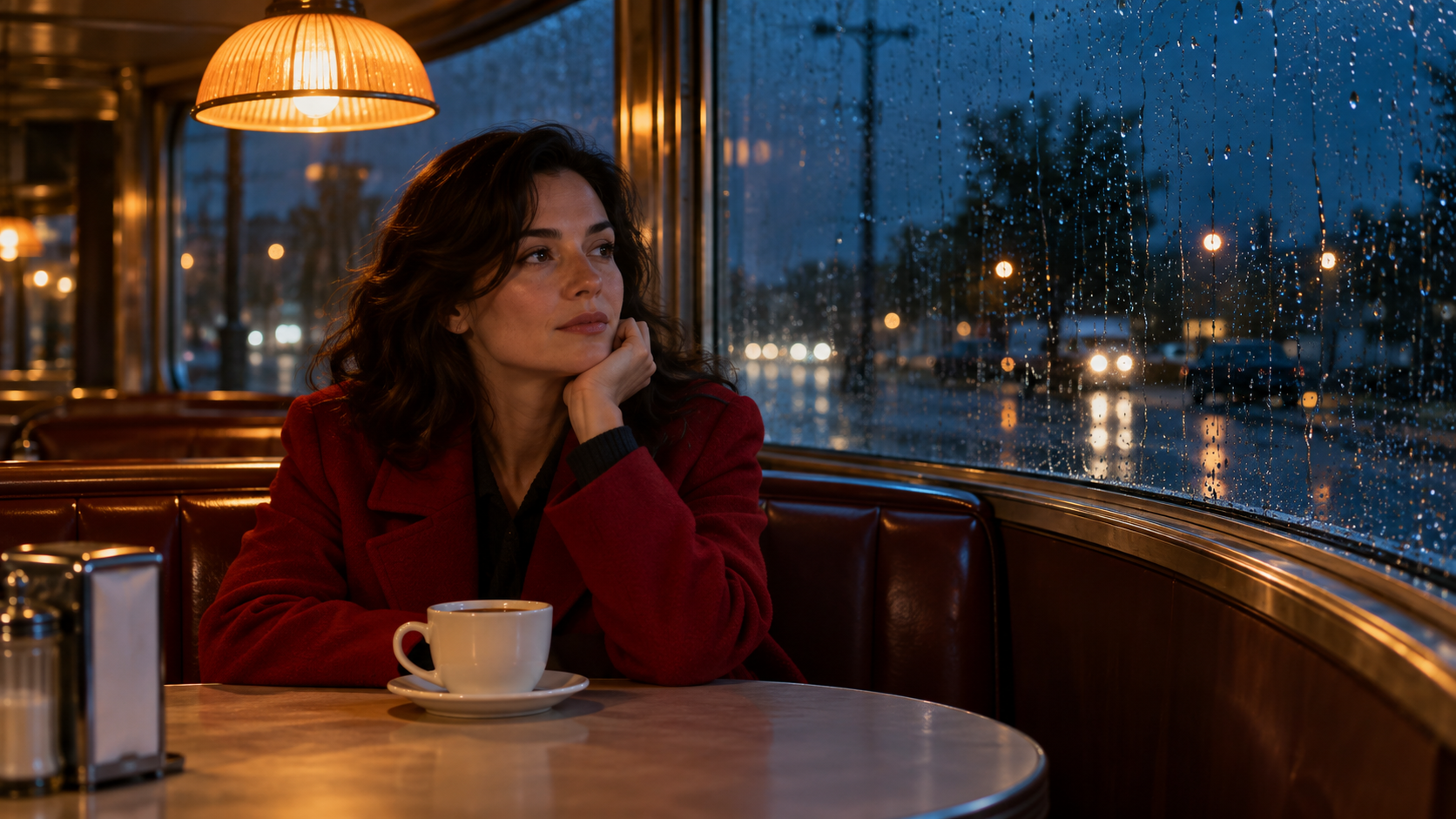
A practical light is a visible source that belongs inside the scene, such as a lamp, wall light, or sign. It gives the warm area a believable reason to exist. Here, the pendant lamp explains why the face and cup are amber while the environment remains cool.
Keep most of the blue in the surroundings. Otherwise, the subject can become uniformly blue with an orange tint added on top rather than appearing naturally lit by two different sources.
3 Rim Light for a Recognizable Silhouette
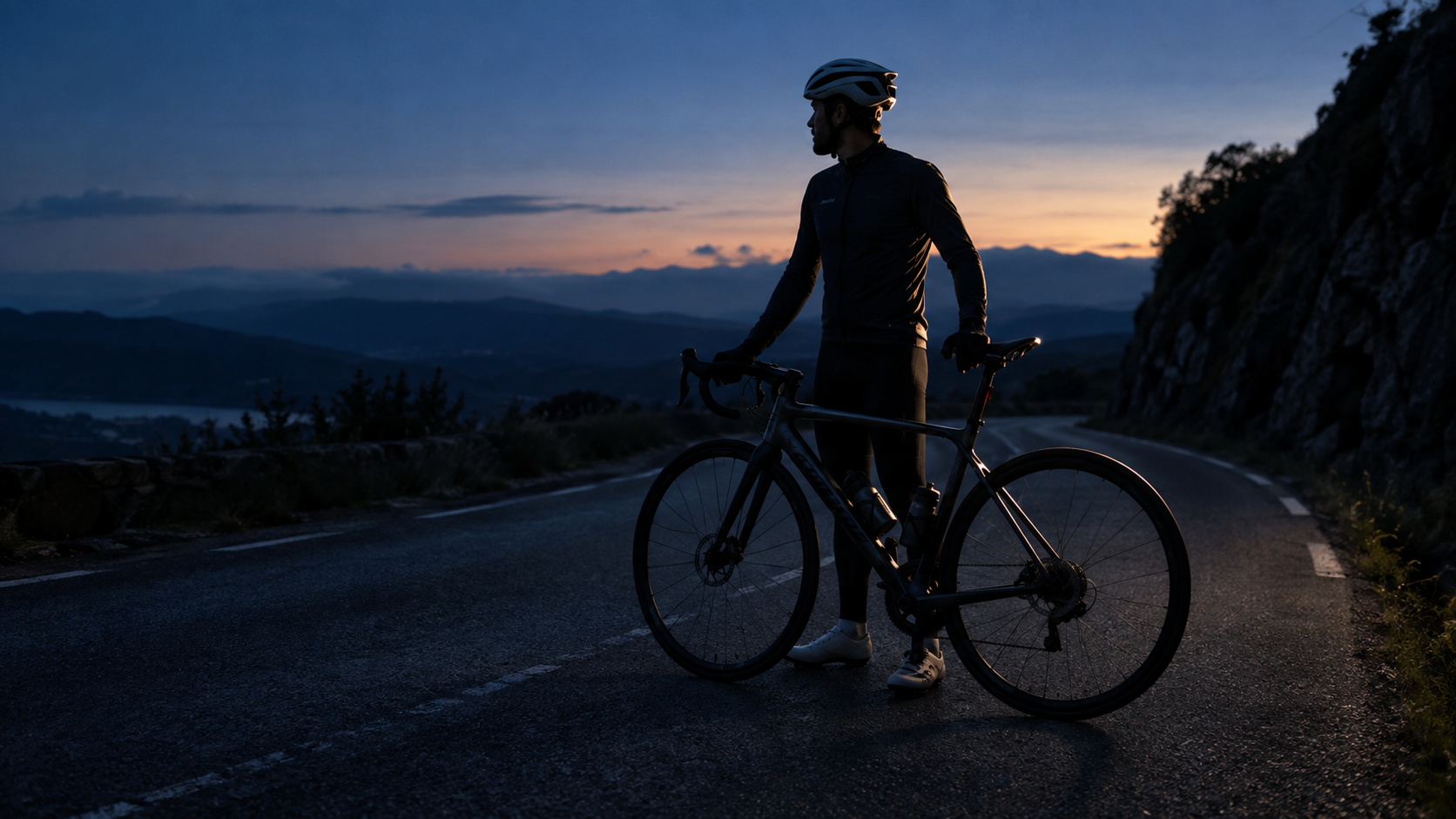
Use rim light when you need to separate a dark subject from a dark background. Restraint matters: a glowing outline around every object weakens the effect. Ask for selected edges to catch light while secondary areas remain in shadow.
For bicycles, instruments, furniture, and other structured objects, inspect the generated image carefully. Thin illuminated edges can cause the model to distort or disconnect parts of the object.
4 Hard Sunlight for a Graphic Fashion Image
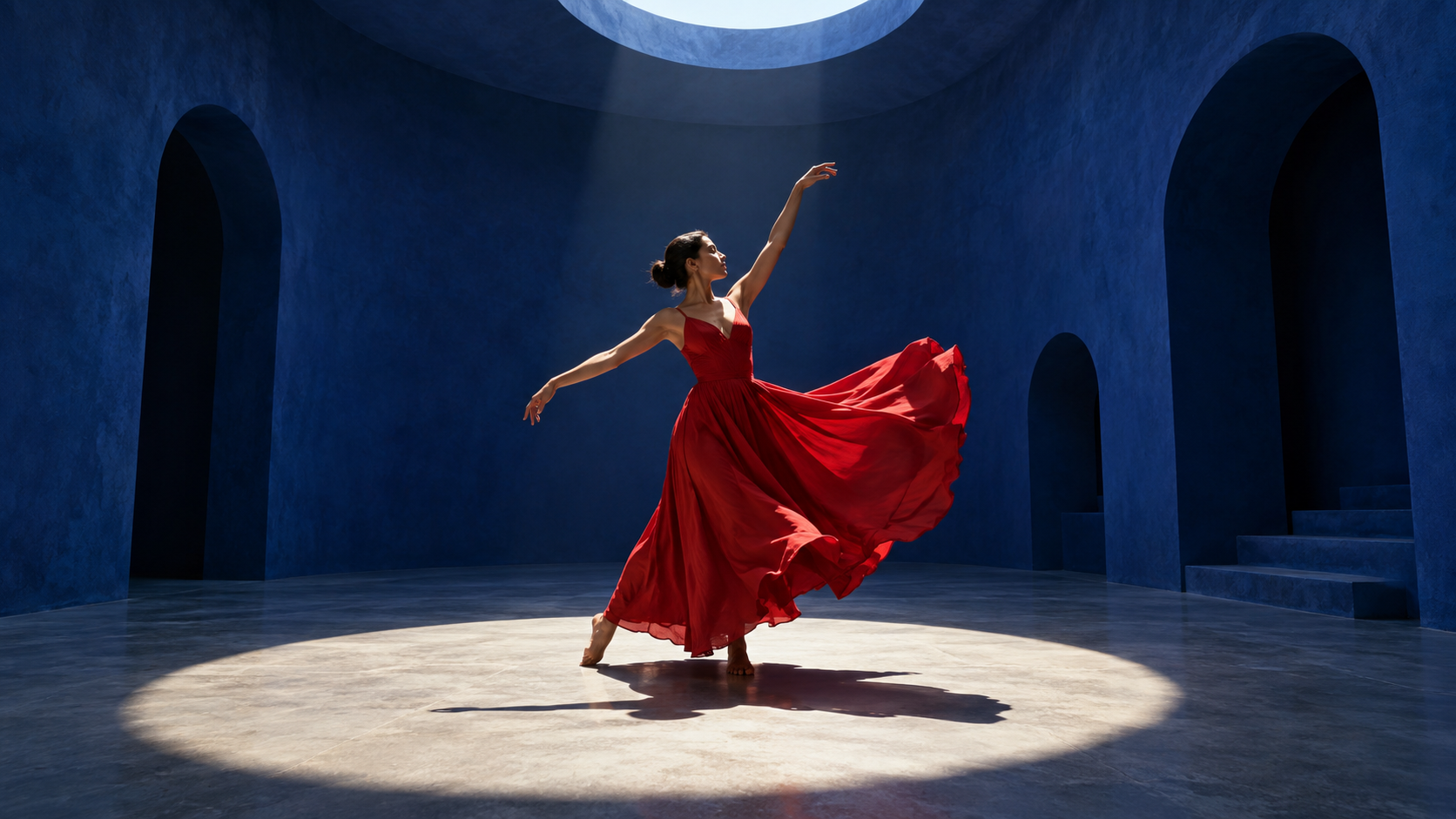
Hard light works well when shadow shape is part of the composition. Decide where the light enters and where the shadow should fall. Keep the figure separate from distracting architectural edges so the silhouette remains easy to read.
If the model brightens the entire room, reinforce that sunlight enters through one limited opening while the surrounding walls remain dark. Avoid haze unless visible light beams are part of the concept; haze can soften the clean geometric contrast that makes this setup effective.
5 Broad Soft Light for Tactile Product Detail

Use this setup when surface and material matter more than a dramatic silhouette. Soft light does not mean directionless light. A large source can still create a clear bright side and dark side, which helps the object keep its volume.
Preserve some shadow rather than filling everything evenly. If you are using a real product as a reference, check that the handle, rim, proportions, and surface shape remain consistent across generations.
Make One Lighting Change at a Time
Once you have a composition you like, change the lighting while preserving the subject. If you change the pose, wardrobe, setting, framing, and lighting at the same time, it becomes difficult to tell which instruction improved the result.
- Generate a composition you want to keep.
- Save the accepted image.
- Use that image as the edit target when the model supports image editing.
- Change one lighting decision at a time.
- Compare the result before making another change.
This workflow is especially useful when refining a consistent character, product, or campaign image. For image-to-video, keep the approved lighting in the starting frame and make the motion prompt simple. A slow head turn, a subtle camera push-in, or a small shift in posture may be enough.
Avoid rewriting the entire image description in the video prompt. Doing so can encourage the model to reinterpret the scene instead of animating the image you approved.
Judge the lighting at two scales. First, view the image as a thumbnail: is the subject immediately visible, and does your eye go to the intended focal point? Then zoom in to inspect eyes, skin, reflections, material texture, object edges, and shadow transitions. A successful cinematic lighting prompt makes the image easier to read as well as more atmospheric.
Create Your Own Cinematic Images with WeryAI
Turn these prompts into your own images with WeryAI. Start from a lighting setup you like, customize the subject and scene, then iterate on the result without rebuilding the prompt from scratch.
FAQ
What should a cinematic lighting prompt include
Describe the light source, its direction, the relationship between warm and cool areas, and the shadows you want to preserve. Add the subject, setting, and framing so the lighting has a clear purpose.
How do I make AI images look more cinematic
Avoid relying on the word cinematic by itself. Define a specific light source, decide where it comes from, control which areas remain dark, and use color contrast intentionally.
What is the difference between hard and soft lighting
Hard light creates sharper shadow edges and more graphic shapes. Soft light produces broader highlights and gentler transitions while still preserving direction and volume.
Can I use these prompts for image to video
Yes. Generate and approve the still image first, then use a separate motion prompt. Keep the accepted lighting, composition, and subject appearance stable while asking for one clear movement or camera action.
Should I include camera terms in cinematic prompts
Only when they help describe the intended result. Lighting direction, contrast, color, subject placement, and framing are usually more important than technical camera terminology.